
7 Reasons to Switch to TPUs
Published:
The chip built from scratch for AI, and why it might be your next move
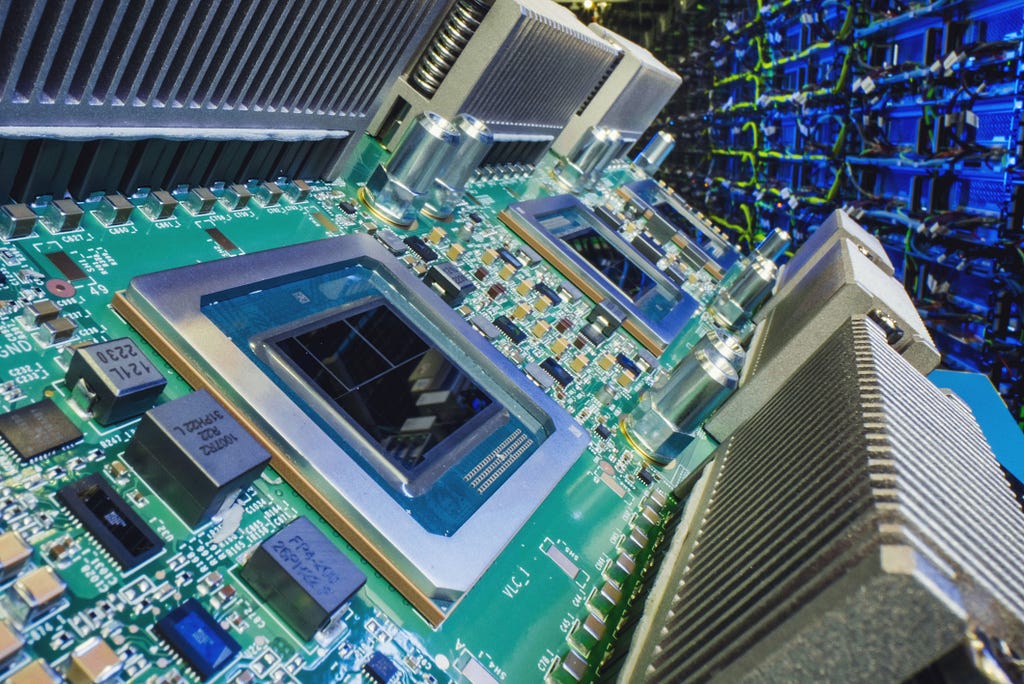
Source image : Link
Every time you ask a chatbot a question, or watch your phone translate a street sign in real time, a staggering amount of math is happening somewhere. And since algorithms don’t run on magic, but on silicon, the real question becomes: which chip are you running your models on? For years the default answer was the GPU (graphics processing unit). But there’s an alternative built specifically for this job: the Tensor Processing Unit, or TPU.
Here are 7 reasons making the switch is worth a serious look.
1. It’s built for exactly one job
A CPU is a brilliant generalist. A GPU is a flexible specialist that stumbled into being great at AI almost by accident. A TPU is what engineers call an ASIC: a chip built from the ground up to do a narrow set of things exceptionally well. Strip away everything a chip doesn’t need, and what’s left is dramatically faster and cheaper at its one task: multiplying big grids of numbers and adding up the results, which is the core of how every neural network runs.
2. Serious speed, with better energy efficiency
At the heart of a TPU is a dense grid of multiply-and-add units wired directly to one another (engineers call it a systolic array). Numbers flow through it like water down a series of locks, without constantly running back to memory. The payoff isn’t just speed; it’s efficiency: the latest Ironwood generation delivers roughly 2× the performance per watt of the previous generation (Trillium), and it’s nearly 30× more power-efficient than Google’s first cloud TPU. Lower power means lower cost for every training run and every inference call.
3. “Good enough” math that boosts your throughput
Regular computers obsess over precision, with lots of decimal places. Neural networks are surprisingly forgiving; they don’t need that exactness to give great answers. So TPUs use compact number formats like bfloat16 (and Ironwood added native support for the even smaller FP8). Slightly rougher math, run much faster and using far less memory. It’s a fantastic trade for AI that squeezes more throughput out of the same chip.
4. Effectively unlimited scale through pods
A single TPU is powerful, but its real strength is teamwork. Google links thousands of chips into units called pods that behave like one giant machine. An Ironwood superpod scales to 9,216 chips sharing over 1.77 petabytes of high-bandwidth memory. Better still, frameworks like JAX spread a single model across thousands of chips automatically, so you go from one chip to a full superpod with essentially the same code.
5. Battle-tested in production on the world’s biggest models
TPUs aren’t a lab curiosity. They power things you use every day: Google Search, Translate, Photos, and Maps. Google’s flagship Gemini model is both trained and served on them. And here’s the kicker: frontier AI labs, including Anthropic, the maker of Claude, train and run their models on TPUs, with Anthropic planning to access on the order of a million TPUs. If a chip can run the biggest models on earth, it can almost certainly run yours.
6. Better performance per dollar
For large AI workloads, TPUs deliver excellent price-performance: the Trillium generation offers a 2.1× to 2.5× improvement in performance per dollar over the v5 generation. And the “what you train is what you serve” philosophy (using the same chip and precision for both training and inference) cuts cost and complexity. It’s no surprise that many analysts now put TPUs at the front of the price-performance race for production-scale AI.
7. You can start today, for free
Best of all, you don’t need to buy any hardware, or even have a Google Cloud account, to begin. Google Colab and Kaggle both offer free access to real TPUs, and you can rent them on Google Cloud once your workloads grow. Zero hardware, up and running in minutes.
An honest note before you decide
TPUs aren’t the right tool for every job. GPUs remain more flexible, are backed by a broader software ecosystem, and are the better pick for varied research, quick experiments, and hardware you buy and own outright. The rule of thumb: choose the tool that fits the workload. But if your goal is to train or serve large AI models at scale (efficiently, in both cost and energy), TPUs deserve a serious place in the conversation.
How to get started
Open a free Colab notebook, switch the accelerator to TPU, and start experimenting:
🔗 Start exploring TPUs on Google Colab
The steps are simple: from the menu, choose Runtime → Change runtime type → TPU, then save. Now any JAX code you run executes on a real TPU. Begin with a simple matrix multiply, then work your way up to training a small model, and feel the difference for yourself.
Enjoyed this? It’s the first in a short series on the hardware behind modern AI. Follow along for the “how GPUs work” and “how AI models are actually trained” explainers next.
Further reading
- Google Cloud blog on Ironwood (7th-gen TPU): https://blog.google/products/google-cloud/ironwood-tpu-age-of-inference/
- Kaggle TPU documentation: https://www.kaggle.com/docs/tpu
Also published on Medium.